
Price Faculty of Engineering
Department of Electrical and Computer Engineering
The Department of Electrical and Computer Engineering has come a long way since the start of the BSc degree program in electrical engineering in 1907. Now included among the best in Canada for both our education quality and research contributions, we offer two fully accredited undergraduate programs and three nationally and internationally recognized graduate level programs.
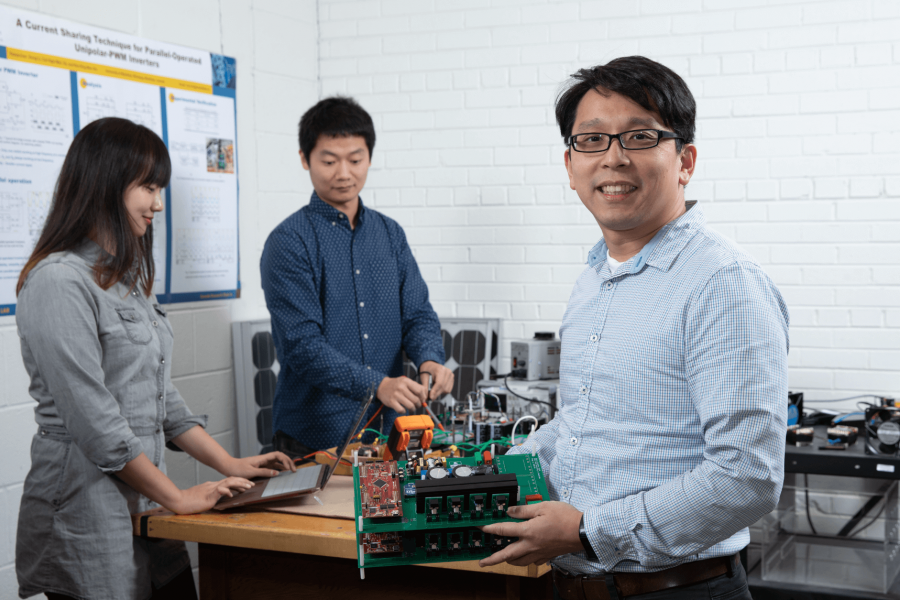
Dr. Jenny Zhou Recognized as an IEEE Fellow
Study with us
Electrical and computer engineers are the professionals who design, improve and apply the electrical devices and systems that we use in our day-to-day lives.
In Manitoba, there are hundreds companies employing electrical and computer engineers. Whether you're interested in automation, communications, computers and technology, embedded systems, energy, health, machine learning or almost any other field of study, a degree in electrical engineering or computer engineering from the University of Manitoba will serve you well in pursuing a successful career.
Programs of study
The Department of Electrical and Computer Engineering offers programs tailored to aspiring engineers, mid-career professionals and cutting-edge researchers alike.
Undergraduate student resources
As an ECE undergraduate student, you can take advantage of opportunities and supports from academic focus areas to student groups.
Computer Engineering Resources
Computer Engineering focus areas
Within the Computer Engineering BSc program, you may choose to pursue more focused studies through an approved focus area.
Biomedical focus area
This subject area focuses on the application of engineering techniques to medicine and life sciences. Biomedical engineers advance medical technology by developing instrumentation and methods of diagnosis of diseases, models of biological mechanisms, prosthetic devices, rehabilitation techniques, imaging systems and improvement of patient healthcare.
Biomedical Focus Area Summary and Flowchart (PDF)
Requirements
To complete the Biomedical Focus the three (3) required courses must be taken. In addition, one (1) of the three Biomedical Group A Elective courses must be taken, and a further (1) course from either the Biomedical Group A or Biomedical Group B elective courses must be taken. To complete the program requirements, two (2) additional courses must be selected from the elective courses listed in the Computer Engineering standard program.
Required Biomedical courses
- ECE 4610 Biomedical Instrumentation and Signal Processing
- BIOL 1410 Anatomy of the Human Body
- PHYS 2600 Electromagnetic Field Theory
Biomedical Group A elective courses
- ECE 4860 Biomedical Optics
- PHYS 3220 Medical Physics and Physiological Measurement
- PHYS 4300 Microfluidics for Biology
Biomedical Group B elective courses
- BIOL 1412 Physiology of the Human Body
- MBIO 1220 Essentials of Microbiology
- BIOE 3320 Engineering Properties of Biological Materials
- BIOE 4610 Design of Assistive Technology Devices
Admission into the Max Rady College of Medicine
This focus area may be of particular interest to students wishing to pursue post-graduate studies in medicine. For specific information on application to the College of Medicine, please consult the Max Rady College of Medicine section of the Academic Calendar.
Communication networks focus area
This subject area involves the specification, analysis, design and optimization of architectures, algorithms and protocols, and operation/maintenance/management of communications systems and networks, including both wired and wireless networks.
Computer Networks and Communications Focus Area Summary and Flowchart (PDF)
Requirements
To complete the Computer Networks and Communications Focus the required course must be taken. Three (3) of the seven Computer Networks and Communications Technical Elective courses must also be taken. To complete the program requirements, two (2) additional courses must be selected from the elective courses listed in the Computer Engineering standard program.
Required Computer Networks and Communications Focus course
- ECE 4260 Communications Systems
Computer Networks and Communications Technical Elective courses
- ECE 4250 Digital Communications
- ECE 4520 Simulation and Modeling
- ECE 4540 Wireless Networks
- ECE 4870 Computer Communication Networks
- COMP 3010 Distributed Computing
- COMP 4580 Computer Security
Embedded systems focus area
This subject area involves the analysis, design, and implementation of algorithms, hardware, and software to form subsystems capable of performing one or many dedicated functions, often in real time, in many applications.
Embedded Systems Focus Area Summary and Flowchart (PDF)
Requirements
To complete the Embedded Systems Focus the required course must be taken. Three (3) of the eight Embedded Systems Technical Elective courses must also be taken. To complete the program requirements, two additional courses must be selected from the elective courses listed in the Computer Engineering standard program.
Required Embedded Systems course
- ECE 4150 Control Systems
Embedded Systems Technical Elective courses
- ECE 3630 Real-time Embedded Systems *
- ECE 3770 Digital Systems Design 2
- ECE 4180 Introduction to Robotics
- ECE 4440 Computer Vision
- ECE 4560 Modern Computing Systems
- ECE 4610 Biomedical Instrumentation and Signal Processing
- ECE 4740 Digital System Implementation
- COMP 3020 Human-Computer Interaction 1
- COMP 4580 Computer Security
* If ECE 3630 is selected as a focus area elective, this course may not be used to satisfy other program requirements.
Entrepreneurship focus area
This subject area involves entrepreneurship and business fundamentals for students who students who may be interested in starting their own engineering design or consulting business.
Entrepreneurship Focus Area Summary and Flowchart (PDF)
Requirements
To complete the Entrepreneurship Focus the prescribed courses must be taken. Two (2) of the five Entrepreneurship Elective courses must also be taken. To complete the program requirements, two (2) additional courses must be selected from the elective courses listed in the Computer Engineering Standard Program.
Prescribed Entrepreneurship courses
- MECH 3170 Project Management
- ENTR 2020 Starting a New Business *
Entrepreneurship Elective courses
- ENG 4110 Operational Excellence
- ENTR 3060 Creativity and Entrepreneurial Thinking
- ENTR 3070 Innovation Management
- ENTR 3102 Technological Entrepreneurship
- ENTR 4100 New Venture Analysis
* NOTE: In addition to satisfying focus area requirements, ENTR 2020 also meets the general program requirement for one complementary studies elective.
Mechatronics focus area
This subject area involves the analysis, design, and implementation of electronic and computer controlled mechanical systems.
Mechatronics Focus Area Summary and Flowchart (PDF)
Requirements
To complete the Mechatronics Focus the prescribed courses must be taken. Two (2) of the five Mechatronics Technical Elective courses must also be taken. To complete the program requirements, one (1) additional courses must be selected from the elective courses listed in the Computer Engineering Standard Program.
Prescribed Mechatronics courses
- ECE 4150 Control Systems
- ECE 4180 Introduction to Robotics
- MECH 4900 Mechatronics System Design
Mechatronics Technical Elective courses
- ECE 3720 Electric Power and Machines *
- ECE 4160 Control Engineering *
- ECE 4370 Power Electronics *
- ECE 4440 Computer Vision
- ENG 4100 Operational Excellence
* NOTE: Computer Engineering students are limited to a maximum of two (2) Electrical Engineering elective courses in their program.
Software engineering focus area
This subject area involves the analysis, design, and implementation of software systems.
Software Engineering Focus Area Summary and Flowchart (PDF)
Requirements
To complete the Software Engineering Focus the required course must be taken. Three (3) of the eight Software Engineering Technical Elective courses must also be taken. To complete the program requirements, one (1) additional courses must be selected from the elective courses listed in the Computer Engineering standard program.
Prescribed Software Engineering course
- COMP 3350 Software Engineering 1
Software Engineering Technical Elective courses
- ECE 3750 Systems Engineering Principles 2
- ECE 4530 Parallel Processing
- COMP 3010 Distributed Computing
- COMP 3020 Human-Computer Interaction 1
- COMP 3380 Databases: Concepts and Usage
- COMP 4350 Software Engineering 2
- COMP 4580 Computer Security
- COMP 4710 Introduction to Data Mining
Computer engineering forms and documents
Electrical Engineering Resources
Electrical Engineering focus areas
Within the Electrical Engineering BSc program, you may choose to pursue more focused studies through an approved focus area.
Biomedical focus area
This subject area focuses on the application of engineering techniques to medicine and life sciences. Biomedical engineers advance medical technology by developing instrumentation and methods of diagnosis of diseases, models of biological mechanisms, prosthetic devices, rehabilitation techniques, imaging systems and improvement of patient healthcare.
Requirements
To complete the Biomedical Focus Area, students are required to take a total of six (6) courses. Of these, five replace general technical elective and one is in place of the natural science elective in the Electrical Engineering program. To complete the program requirements, two (2) additional courses must be selected from the technical electives listed in the Electrical Engineering standard program.
Biomedical Focus Area Summary and Flowchart (PDF)
Required Biomedical courses
- ECE 4610 Biomedical Instrumentation and Signals
- ECE 4830 Signal Processing 2
- BIOL 1410 Anatomy of the Human Body
- One additional course from the list of Group A Qualified Design Elective Courses in the Electrical Engineering standard program
- One course selected from Biomedical Group A Elective courses
- A second course selected from Biomedical Group A Elective courses or one course selected from Biomedical Group B Elective courses
Biomedical Group A Elective courses
- ECE 4860 Biomedical Optics
- PHYS 3220 Medical Physics and Physiological Measurement
- PHYS 4300 Microfluidics for Biology
Biomedical Group B Elective courses
- BIOL 1412 Physiology of the Human Body
- MBIO 1220 Essentials of Microbiology
- BIOE 3320 Engineering Properties of Biological Materials
- BIOE 4610 Design of Assistive Technology Devices
With permission of the department, students may substitute additional Group A or Group B Elective courses for either of their two remaining Electrical Engineering technical elective courses.
The ECE department cannot guarantee space or ensure against time slot conflicts regarding courses taught by other departments/faculties.
Admission into the Max Rady College of Medicine
This focus area may be of particular interest to students wishing to pursue post-graduate studies in medicine. For specific information on application to the College of Medicine, please consult the Max Rady College of Medicine section of the Academic Calendar.
Communication devices focus area
This subject area focuses on devices and components used in wireless communication systems. Applications include personal communication systems, wireless devices, vehicular and aircraft communications and radar, satellite systems, and remote sensing and sub-surface imaging. Topics range from fibre optics, lasers, antenna systems, microwave circuitry and microelectronic devices.
Communication Devices Focus Area Summary and Flowchart (PDF)
Requirements
To complete the Communication Devices focus, the three (3) prescribed courses must be taken. Two (2) of the five Communication Devices Technical Elective courses must also be taken. To complete the program requirements, two (2) additional courses must be selected from the elective courses listed in the Electrical Engineering standard program.
Prescribed Communication Devices courses
- ECE 4270 Antennas
- ECE 4290 Microwave Engineering
- ECE 4250 Digital Communications or ECE 4830 Signal Processing 2
Communication Devices Elective courses
- ECE 4250 Digital Communications
- ECE 4280 Engineering Electromagnetics
- ECE 4430 Design of RF Devices and Wireless Systems
- ECE 4580 Optoelectronics
- ECE 4830Signal Processing 2
Engineering physics focus area
This subject area offers students advanced courses in physics, in addition to the core and elective courses in Electrical Engineering. The additional content provides students with greater understanding of physics fundamentals. The range of applications overlap with many electrical engineering specialties, and also may include optics and lasers, solid state physics and microelectronic devices, quantum physics and nanotechnology.
Engineering Physics Focus Area Summary and Flowchart (PDF)
Requirements
In the standard Electrical Engineering program, seven technical elective courses and one natural science elective are required. To complete the Engineering Physics focus area, students are required to take a total of seven (7) courses, including the four (4) required Engineering Physics courses. Three (3) further courses must be taken from the list of Engineering Physics Elective courses. To complete the program requirements, one (1) additional course must be selected from the elective courses listed in the Electrical Engineering standard program.
Required Engineering Physics courses
- ECE 4270 Antennas
- ECE 4580 Optoelectronics
- PHYS 2386 Introduction to Quantum Mechanics and Special Relativity
- PHYS 2650 Classical Mechanics 1
Engineering Physics Technical Elective courses
- ECE 4860 Materials Characterization
- PHYS 2260 Optics
- PHYS 3220 Medical Physics and Physiological Measurement
- PHYS 3386 Quantum Mechanics 2
- PHYS 3430 Honours Physics Laboratory
- PHYS 3570 Physics of Materials 1
- PHYS 3650 Classical Mechanics 2
- PHYS 3670 Classical Thermodynamics
- PHYS 3680 Statistical Mechanics
- PHYS 4520 Introduction to Solid State Physics
- PHYS 4590 Advanced Optics
- PHYS 4646 Electro- and Magnetodynamics and Special Relativity
- PHYS 4680 Statistical Mechanics
The ECE department cannot guarantee space or ensure against time slot conflicts regarding courses taught by other departments or faculties.
Recognized physics/math course equivalencies for transfer students from physics
- MATH 1300 Vector Geometry & Linear Algebra
- MATH 2720 Multivariable Calculus
- PHYS 1070 Waves and Modern Physics
- PHYS 2600 Electromagnetic Field Theory
- PHYS 2390 Theoretical Physics 1
- PHYS 2490 Theoretical Physics 2
Students having completed the above recognized courses, will be considered to have achieved content equivalencies provided by the following required courses in the electrical engineering program.
Entrepreneurship focus area
This subject area involves entrepreneurship and business fundamentals for students who students who may be interested in starting their own engineering design or consulting business.
Entrepreneurship Focus Area Summary and Flowchart (PDF)
Requirements
To complete the Entrepreneurship Focus the prescribed courses must be taken. Two (2) of the five Entrepreneurship Elective courses must also be taken. To complete the program requirements, students must select three (3) additional courses from the list of Qualified Engineering Design Electives and one (1) further Technical Electives from the Electrical Engineering Standard Program.
Prescribed Entrepreneurship courses
- MECH 3170 Project Management
- ENTR 2020 Starting a New Business *
Entrepreneurship Elective courses
- ENG 4110 Operational Excellence
- ENTR 3060 Creativity and Entrepreneurial Thinking
- ENTR 3070 Innovation Management
- ENTR 3102 Technological Entrepreneurship
- ENTR 4100 New Venture Analysis
* NOTE: In addition to satisfying focus area requirements, ENTR 2020 also meets the general program requirement for one complementary studies elective.
Mechatronics focus area
This subject area involves the analysis, design, and implementation of electronic and computer controlled mechanical systems.
Mechatronics Focus Area Summary and Flowchart (PDF)
Requirements
To complete the Mechatronics Focus the two (2) prescribed courses must be taken. Two (2) of the five Mechatronics Technical Elective courses must also be taken. To complete program requirements, students must select three (3) additional electives from the Qualified Engineering Design Electives and/or Technical Electives in the Electrical Engineering standard program.
NOTE: Of the seven (7) prescribed and elective courses taken, three (3) MUST be selected from the Qualified Engineering Design Electives list.
Prescribed Mechatronics courses
- ECE 4180 Introduction to Robotics
- MECH 4900 Mechatronics System Design
Mechatronics Technical Elective courses
- ECE 4160 Control Engineering
- ECE 4240 Microprocessor Interfacing
- ECE 4370 Power Electronics
- ECE 4440 Computer Vision
- ENG 4100 Operational Excellence
Power and energy systems focus area
This subject area focuses on concepts and systems used in the generation, transmission, delivery, utilization, storage and control of electric power and energy. Topics include electrical power generation and transmission; electric machines, drives and power electronics; high voltage systems; planning, operation, security and protection of power and energy systems; renewable energy systems.
Power and Energy Systems Focus Area Summary and Flowchart (PDF)
Requirements
To complete the Power and Energy Systems Focus the four (4) prescribed courses must be taken. One (1) of the two Power and Energy Systems technical elective courses must also be taken. To complete the program requirements, two (2) additional courses must be selected from the elective courses listed in the Electrical Engineering standard program.
Prescribed Power and Energy Systems courses (All are required)
- ECE 3650 Electric Machines
- ECE 4300 Electrical Energy Systems 1
- ECE 4370 Power Electronics
- One additional course from the list of Group A Qualified Design Elective Courses found in the Electrical Engineering standard program.
Power and Energy Systems Technical Elective courses (Choose 1)
- ECE 4310 Electrical Energy Systems II
- ECE 4360 High Voltage Equipment Testing
ECE 3560 Electric Machines is a prerequisite for other courses in this focus area. Therefore, it is recommended that students take ECE 3650 prior to their final year.
Electrical engineering forms and documents
Graduate student resources
Electrical and Computer engineering students can access opportunities, supports and resources from the Department of Electrical and Computer Engineering, the Price Faculty of Engineering, the Faculty of Graduate Studies and UM.
MEng Program requirements
The Master of Engineering program is meant to satisfy the particular needs of students and practicing engineers wishing to extend their studies on a broad basis of coursework and an engineering project. The coursework requirements and project are decided by the academic advisor.
The M.Eng. program requires a minimum of 24 credit hours of advisor-approved coursework as follows:
- Minimum 9 credit hours at or above the 7000 level from the ECE department
- Maximum 9 credit hours of elective courses from the ECE department at or above the 4000 level and a maximum of 12 credit hours from other departments at or above the 3000 level
- Final Project GRAD 7050 (6): the student is required to complete and defend an advisor approved engineering project. The effort involved in this project should be at least the equivalent of six (6) credit hours of coursework.
Transferring Credits:
- A maximum of 1/2 the credit hours may be transferred into the M.Eng. program with approval from the Faculty of Graduate Studies
- Credit hours may only be transferred from another degree program from a recognized university where a degree has not been awarded
- Credit hours must relate directly to the student's degree program
- Credit hours may not have been used for any other degree
- Approval of courses for transfer is required and is done by the Faculty of Graduate Studies.
MSc Program requirements
The Master of Science program in ECE is a thesis based program.
M.Sc. Course Requirements
A program of study consisting of a minimum of 12-credit hours of
coursework at or above the 7000-level, with a minimum of 6-credit hours from ECE, and the remainder from ECE or other Departments. The
coursework-based program of study must be approved by the advisor and the Department of Electrical and Computer Engineering.
M.Sc. Research and Thesis: A Master of Science Thesis is required.
- Student must submit a Research Proposal for approval by the Student's Academic Advisor.
- After approval for the research proposal the student may begin his/her research under the guidance of his/her Academic Advisor.
- The student must produce a thesis (in consultation with the Academic Advisor) to be distributed to the student’s examining committee upon approval of the Academic Advisor.
Please consult the supplemental regulations for complete details.
PhD Program requirements
Please consult the Supplemental Regulations for detailed information regarding PhD program requirements.
All students must complete one of the following programs of study for the Ph.D. degree:
- M.Sc. degree holders in Electrical or Computer Engineering who have been admitted directly into the Ph.D. program:
• Minimum of 12 credit hours of Advisory Committee-approved course work is required;
• 7000 level or higher;
• At least 6 of the 12 credit hours must be from ECE. - B.Sc. degree holders in Electrical or Computer Engineering who are recommended for transfer into the Ph.D. program from the ECE M.Sc. program at this university:
• Minimum of 24 credit hours of Advisory Committee approved course work is required:
• 9 credit hours must be at or above the 7000 level;
• 6 credit hours may be taken from another Department at or above the 3000 level; or 4000 level elective courses from the ECE department.
• At least 12 of the 24 credit hours must be from the ECE Department.
• Credit may be given for approved course work completed at the M.Sc. level. If MSc was not awarded, then courses may be transferred up to 50% of Ph.D. coursework load. - Honours Bachelor Degree or Equivalent with a minimum of 24 credit hours plus a thesis is required, plus:
• 18 credit hours at the 7000 level or higher;
• the balance (6 credit hours) of the coursework at the 3000 level or above;
• At least 12 of the 24 credit hours must be from the ECE Department.
For those students who do not hold a Master’s degree, a maximum of 48 credit hours of course work is allowed toward the Ph.D. program. Please consult the supplemental regulations for complete details.
Supplemental Regulations

Finding a graduate studies advisor
Before submitting an application for admission to the Faculty of Graduate Studies, you must first find a faculty advisor who will accept you into their research group. The advisor will initially review your academic background, research intent, previous experience and CV and may grant tentative acceptance into the program.
To find an advisor prior to application, you must contact a faculty member whose research area aligns with your own interests. Department of Electrical and Computer Engineering faculty members, and links to their research areas, can be found on the faculty and staff page. Please contact faculty members by email, and include the following:
- A current CV including publications, posters and conference participation; honours, awards and acknowledgements; and jobs pertaining to the field
- Copies of all post-secondary transcripts
- A one-page statement of research intent summarizing your proposed research project. If you have several research interests, please customize your statement for each faculty member you are interested in working with.
If you do not hear back in about eight weeks, that professor may not be interested in your application at this time.
Please note that tentative acceptance from an advisor does not guarantee admission into the program.
Research
Faculty and students in the Department of Electrical and Computer Engineering conduct world-class research in the fields of applied electromagnetics, atmospheric optics, biomedical engineering, communications engineering, microelectronics, power apparatus and systems engineering, signal and image processing, computer architecture and software systems.
Research facilities
Advanced RF Systems Laboratory
CMC Microsystems (CMC), the University of Manitoba and leaders from industry, government and academia officially opened the Advanced RF Systems Laboratory–the second of four specialized test labs in Canada’s unique $23-million National Microelectronics and Photonics Testing Collaboratory. The estimated value of the RF Lab located at the University of Manitoba is more than CAN$1.9 million. It represents a key building block in Canada’s ‘cyber-infrastructure’, bringing world-class test capability and expertise from Winnipeg to hundreds of microsystems researchers across the country.
Researchers at 21 Canadian universities will use this world-first virtual laboratory and its interactive, multimedia connections to access some of the best available test tools and technologies in the world. Together, the labs that comprise the Collaboratory will address one of the main roadblocks facing university researchers: access to sophisticated and costly equipment required to test and validate high-performance microsystems; a prerequisite for moving new, multi-disciplinary discoveries to market more quickly. Managed by CMC, this pan-Canadian initiative will ultimately provide companies a competitive edge in the multi-billion dollar microsystems and photonics sectors. The future applications of these technologies will benefit all Canadians.
“The Collaboratory brings scientific research into the 21st century,” says Dr. Brian Barge, President and CEO of CMC Microsystems. “Regardless of physical location, researchers will have access to the same advanced capabilities to validate concepts faster, thereby increasing their R&D output and narrowing the gap between technology development and market deployment. Microsystems technologies enable products and services in all sectors from health care to aerospace, energy, automotive, environment, and information and communications.”
“Through the Internet–specifically CA*net 4, a high speed network managed by CANARIE–remote researchers will have the same virtual control as if they were actually in the lab performing the test by hand,” says Dr. Greg Bridges, Principal Investigator of the Advanced RF Systems Lab, and Professor of Electrical and Computer Engineering at the University of Manitoba. “Remote researchers will not only be able to control the test equipment signals and collect measurement data, they will also be able to remotely visualize the chip as seen through a microscope and position the probes used for testing.”
For more information, contact G. Bridges.
Applied Electromagnetics Laboratory
The Applied Electromagnetics Laboratories has two anechoic chambers in the frequency range of 500 MHz to 50 GHz for antenna research. The larger one is equipped with an automated data acquisition and compact range measurement system; the smaller one has a near-field scanning system. In addition, to the anechoic chambers, there is an outdoor antenna measurement range, which is equipped for testing large antenna units. The microwave area has two laboratories for high frequency circuit design and measurements research. The measurement laboratory has a Wiltron 360 network analyzer for measurements up to 65 GHz.
Biomedical Engineering Laboratory
The Biomedical Engineering Laboratory includes image acquisition/processing stations, a fully instrumented 3-dimensional human movement lab including EMG acquisition and analysis. A number of facilities are shared with researchers in the Department of Mechanical Engineering. The Department of Radiology maintains a breeding colony of a species of salamander, the axolotl Ambystoma mexicanum. These are being used to analyze the mechanical and electrical components of the development of axolotl embryos, which provide a good model system for normal development and major birth defects in humans. Equipment for computer controlled time-lapse microscopy is being assembled. Software Systems is an area that represents a strong research program in the department. The VLSI laboratory is an important component of the research program in computer engineering, as well as supporting research areas in electrical engineering such as electronics, signal processing and communications. The laboratory includes a network of Sparc workstations for research and education. The laboratory has access to the fabrication of chip designs, via the Canadian Microelectronics Corporation. The current implementation technologies are full-custom CMOS, FPGAs, and integrated sensors. Software CAD packages available include CADENCE, simulators for Neural Networks and many standard university programs such as circuit and logic simulators. There are also facilities for experimental work with mobile robots.
Computationally Intelligent Systems and Signals Laboratory
The Computationally Intelligent Systems and Signals Laboratory has a collection of robots (two Kheperas, and a number of individual hexapod and tractor robots). In addition, the Laboratory has two Sun workstations, three Pentium workstations, two PowerPC workstations and two printers. Research is carried out in the design of intelligent systems (both hardware and software), data acquisition and classification of data using a number of technologies commonly associated with computational intelligence; namely, fuzzy measure theory, fuzzy sets, fuzzy Petri nets, granular computing, neural networks and, especially, rough neural networks, rough Petri nets, and rough sets. Research in software and hardware system design and measurement using CI technologies is aided by a number of tools such as Rosetta, Rough Set Exploration System (RSES), DesignCPN, and Matlab.
Computing Facilities
The department has substantial computing facilities used for research. These include a network of over 67 SUN and HP workstations and six undergraduate laboratories with a total of 84 Pentium computers. A large number of microcomputers are also distributed throughout the department’s research laboratories. These computers, as well as those of individual researchers, are networked by ethernet.
High Voltage Power Transmission Research Laboratory
The McMath High Voltage Power Transmission Research Laboratory is the largest of its kind among Canadian universities and is equipped with generating and measuring apparatus, including digital data acquisition systems for research on insulation, HV phenomena and diagnostics. The Data and Signal Compression Laboratory has dedicated and network computers, a high resolution scanner, a video capture facility, a digital camera, a CD-ROM mastering system, and an FPGA development facility. It also has access to a large ATM facility for research.
Microprobe and Microfabrication Laboratory
The Microprobe and Microfabrication Laboratory is a well-equipped laboratory with three faculty members. Topics of interest include scanning probe microscopy, micromachining and microfabrication, semiconductor manufacturing, and high frequency microelectronics and microwave circuit testing. Probe microscopy systems include tunnelling (STM), ultra high vacuum STM, atomic force (AFM), resistive (SRM), capacitive (SCM), and dynamic electrostatic force microscopes used for in situ IC testing. CAD platforms include four SUN Ultra workstations, two Pentium III computers, and G3 and G4 Macintosh computers. CAD tools used are Cadence, L-EDIT and MEMSPro for IC design, and Libra, Spice, Ensemble and HFSS for high frequency modelling. RF test equipment includes 50 GHz sampling scopes, a 6 GHz Network Analyser and on-wafer probing facilities. Microfabrication capabilities include a cleanroom, thermal evaporation, 3 inch mask aligner, wet etching, oxidation furnaces, electroplating, UHV system, and an inspection microscope. Equipment to be added in the years 2000-2001 includes a 1000 sq. foot cleanroom, 6 inch two-sided mask aligner, ICP plasma etching, XeF2 etching, RF sputtering, E-beam evaporation, Alpha-Step surface profiler, 50 GHz millimetre wave probe station, and a wafer saw.
Nano-systems Fabrication Laboratory (NSFL)
The NSFL is an open access cleanroom micromachining lab established to provide nano-system R&D and prototyping to university and industry researchers. As a central facility, the NSFL links multidisciplinary researchers from many university departments. This 4000 sq. ft. laboratory possess over $4 million of nanofabrication infrastructure, providing a comprehensive suite of state of the art equipment and software for MEMS fabrication, analysis, and testing.
The NSFL has assisted many research groups from across the UM campus, and several outside industry and organizations. Over 300 professors, students (ranging from high school to Ph.D. level), and industry personnel have used the NSFL. Some of the supported research projects have included:
- MEMS for telecommunications
- Gas sensors for industrial and agricultural applications
- Nanoelectronic sensor systems
- Microsensors for magnetic and electric field measurement
- Ultra-thin dielectrics for nanoelectronics
- Microfluidic biosensor for cell diagnostics
- Conducting polymer-based nanoelectronics
- Magnetic, thermal, and electrostatic microactuators
- Micromolding and electroplating
- Coatings for liquid crystal research
- Microfluidics for industrial cooling
- Thin film coatings for synchrotron FTIR microspectroscopy
- Inkjet deposition technologies
- Adaptive mirror technologies
- MEMS for power systems applications
Power Systems and Machine Laboratories
The Power Systems and Machine Laboratories are well equipped with several workstations, a real time digital power system simulator (developed at the HVDC Research Centre), a large variable frequency supply, and several well instrumented machine sets. Facilities for developing DSP-based controllers and protection devices are available.
Research groups
Academic staff within the department have formed several collaborative research groups.
- Applied Electromagnetics
- Bioinformatics and Computational Medicine Group
- Biomedical Instrumentation and Signal Analysis Laboratory
- Biomedical and Laser Photonics
- Biosensors Laboratory
- Coding, Information Theory and Communications Signal Processing Group
- Computationally Intelligent Systems and Signals Laboratory
- Communication and Network Engineering Research (CNER) Group
- Cognitive Systems Group (Delta Research Group)
- Electromagnetic Design and Characterization Research Group
- Electromagnetic Imaging Group
- Power and Energy Systems Group
- Wireless Communications, Networks and Services Research Group
-
Our researchers
Learn about our faculty member breaking new ground in the fields of electrical and computer engineering.
-
Undergraduate research awards
Each summer, students have the opportunity to work alongside professors in their research labs.
-
Price Faculty of Engineering research
Explore the research underway throughout the faculty.
Contact us
Department of Electrical and Computer Engineering
E2-390 EITC
75 Chancellors Circle
University of Manitoba (Fort Garry campus)
Winnipeg, MB, R3T 5V6, Canada
204-474-9603