
CADLab facilities
Student computer lab
We have 18 (+ instructor station) Alienware Aurora R10 Ryzen PCs:
- 3.4Ghz (4.6 boost) AMD Ryzen 7 5800 CPU (8Core/16Thread)
- 32GB RAM
- 1TB Solid State Drive
- NVIDIA GeForce RTX 3070 8GB Graphics Card
- 3840x2160 resolution Dell S272QC IPS Screens
They are all running Windows 10.
Computer software
- 7-Zip
- Beyond 20-20 Browser
- Adobe Creative Cloud Suite
- ESRI ArcGIS Pro
- ESRI City Engine
- Autodesk Suite:
- AutoCAD
- 3ds Max Design
- Revit
- FileZilla
- Google Chrome
- Google Earth Pro
- Lumion
- Trimble Sketchup Pro
- Microsoft Office
- Mozilla Firefox
- QGIS
- Rhinoceros 3D
- VLC Media Player
Last update 2024-02-01
Self serve scanners
CADLab has several flatbed scanners in the Architecture 2 Building, John A. Russell Building and the ED2 studio (basement of Education Building) for Faculty of Architecture staff and student use only.
Please ensure that the items you are scanning will not scratch or otherwise damage the glass on the scanners. If using the Contex sheetfed scanner, make sure that a fixative is used on any pastel or graphite drawings and that any staples or abrasive items are removed. Failure to do so may result in damage to your work and/or the scanner. Check to make sure that the glass is clean prior to use. If dirty, ask CADLab personnel for assistance in cleaning.
CADLab is not responsible for any damage that may occur to student work.
Rm 121A Architecture 2 building
- 1 x Contex HD Ultra
- 44" wide (42" scannable) sheetfed
- Maximum 1200dpi optical resolution
- 48-bit colour option
- Nextimage software
- 1 x Contex HD iFlex
- 18" x 24" flatbed
- Maximum 600dpi optical resolution
- 48-bit colour option
- Nextimage software
- 1 x Epson Expression 10000XL
- 12.2" x 17.2" flatbed
- Maximum 2400dpi optical resolution
- 48-bit colour option
- Vuescan software
- 1 x Epson Expression 11000XL
- 12.2" x 17.2" flatbed
- Maximum 2400dpi optical resolution
- 48-bit colour option
- Vuescan software
Rm 301 Architecture 2 building
- 1 x Epson Expression 10000XL
- 12.2" x 17.2" flatbed
- Maximum 2400dpi optical resolution
- 48-bit colour option
- Vuescan software
- 1 x Epson Expression 11000XL
- 12.2" x 17.2" flatbed
- Maximum 2400dpi optical resolution
- 48-bit colour option
- Vuescan software
3rd floor John A. Russell building
2 x Epson Expression 10000XL
- 12.2" x 17.2" flatbed
- Maximum 2400dpi optical resolution
- 48-bit colour option
- Vuescan software
ED2 studio (Education building basement)
1 x Epson Expression 11000XL
- 12.2" x 17.2" flatbed
- Maximum 2400dpi optical resolution
- 48-bit colour option
- Vuescan software
Network laser printers
CADLab provides networked laser printers that are distributed throughout the faculty. They are available for use by Faculty of Architecture students and staff only.
Students: In order to use these printers, you must have your UofM accounts set up and print credits added to your printing account. Credits can be purchased from the CADLab Print Shop.
Staff: Please contact CADLab staff to have printers installed on your computer. Staff printing is billed to their department.
If you don't have an account, or have forgotten your password, please visit https://signum.umanitoba.ca/
Printer locations
Each printer has multiple trays, if a tray is empty it should switch over to an alternate tray with the same paper. If a printer is reporting low toner or a "near end of life" message, it will continue to print without a change in print quality. If printing from Adobe Acrobat, ensure that "Acrobat Defaults" are selected under the "Advanced" tab in the printing window. Other settings often cause colour reproduction issues (greys with green casts, etc.).
We do keep an eye on the printers remotely, but if you encounter any issues with your print job or if a printer is jammed, out of toner/paper, or other supplies please contact us. We will gladly refund your prints for issues caused by the printers.
*Note: Due to several incidents of printing to the wrong type of transparencies (which resulted in expensive repairs), we will no longer allow transparencies to be printed to the student printers. Students can go to the UMSU Copy Centre to print on transparencies.
| Queue Name | Location | Model | Features | Price |
| Arch-E103-BW | Education Bldg Studio (Map) |
Kyocera TASKalfa 3252ci w/Fiery Controller | Black & White Duplex |
$0.10 Letter $0.20 Tabloid |
| Arch-E103-Colour | Education Bldg Studio (Map) |
Kyocera TASKalfa 3252ci w/Fiery Controller | Colour Duplex |
$0.20 Letter $0.40 Tabloid |
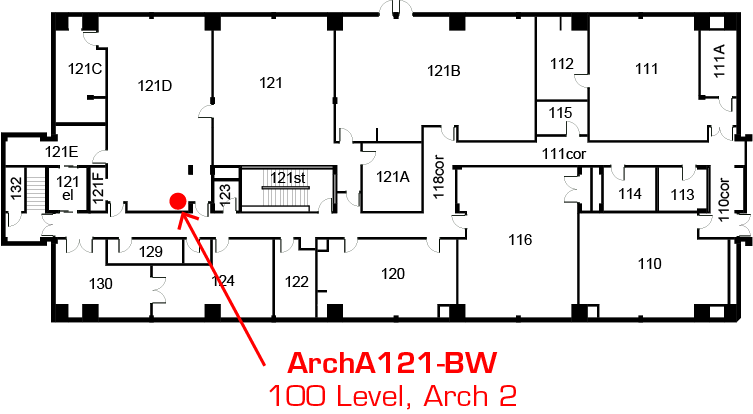
| Arch-A121-BW | CADLab Computer Lab (Map) |
Kyocera TASKalfa 3252ci w/Fiery Controller | Black & White Duplex |
$0.10 Letter $0.20 Tabloid |
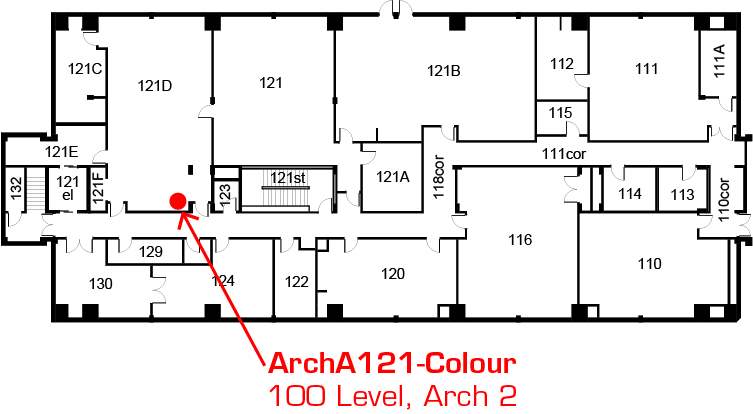
| Arch-A121-Colour | CADLab Computer Lab (Map) |
Kyocera TASKalfa 3252ci w/Fiery Controller | Colour Duplex |
$0.20 Letter $0.40 Tabloid |
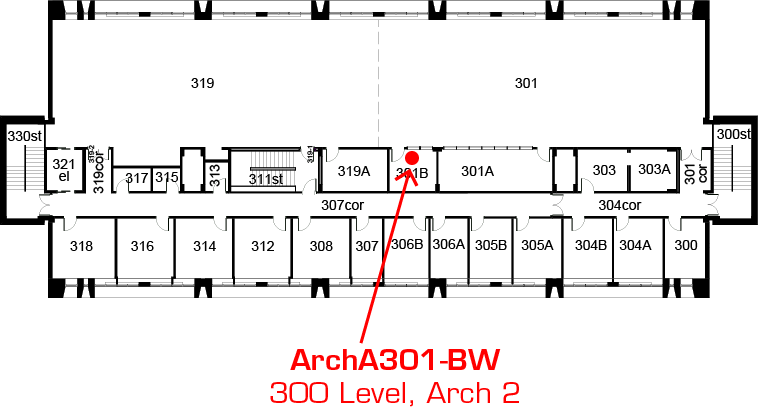
| Arch-A301-BW | Arch 2 3rd Floor Studio (Map) | Kyocera TASKalfa 3252ci w/Fiery Controller | Black & White Duplex |
$0.10 Letter $0.20 Tabloid |
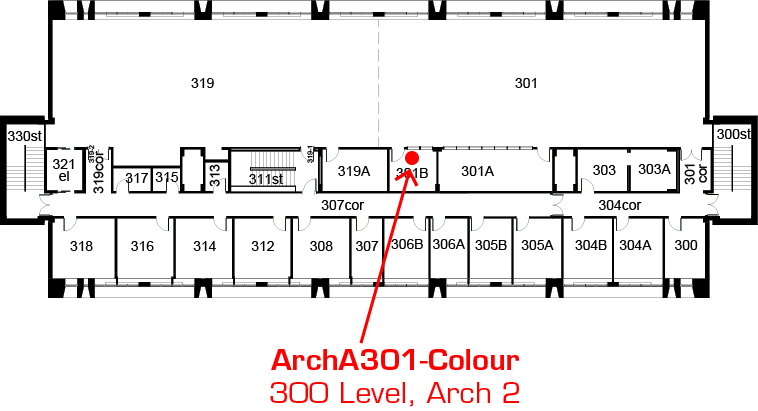
| Arch-A301-Colour | Arch 2 3rd Floor Studio (Map) | Kyocera TASKalfa 3252ci w/Fiery Controller | Colour Duplex |
$0.20 Letter $0.40 Tabloid |
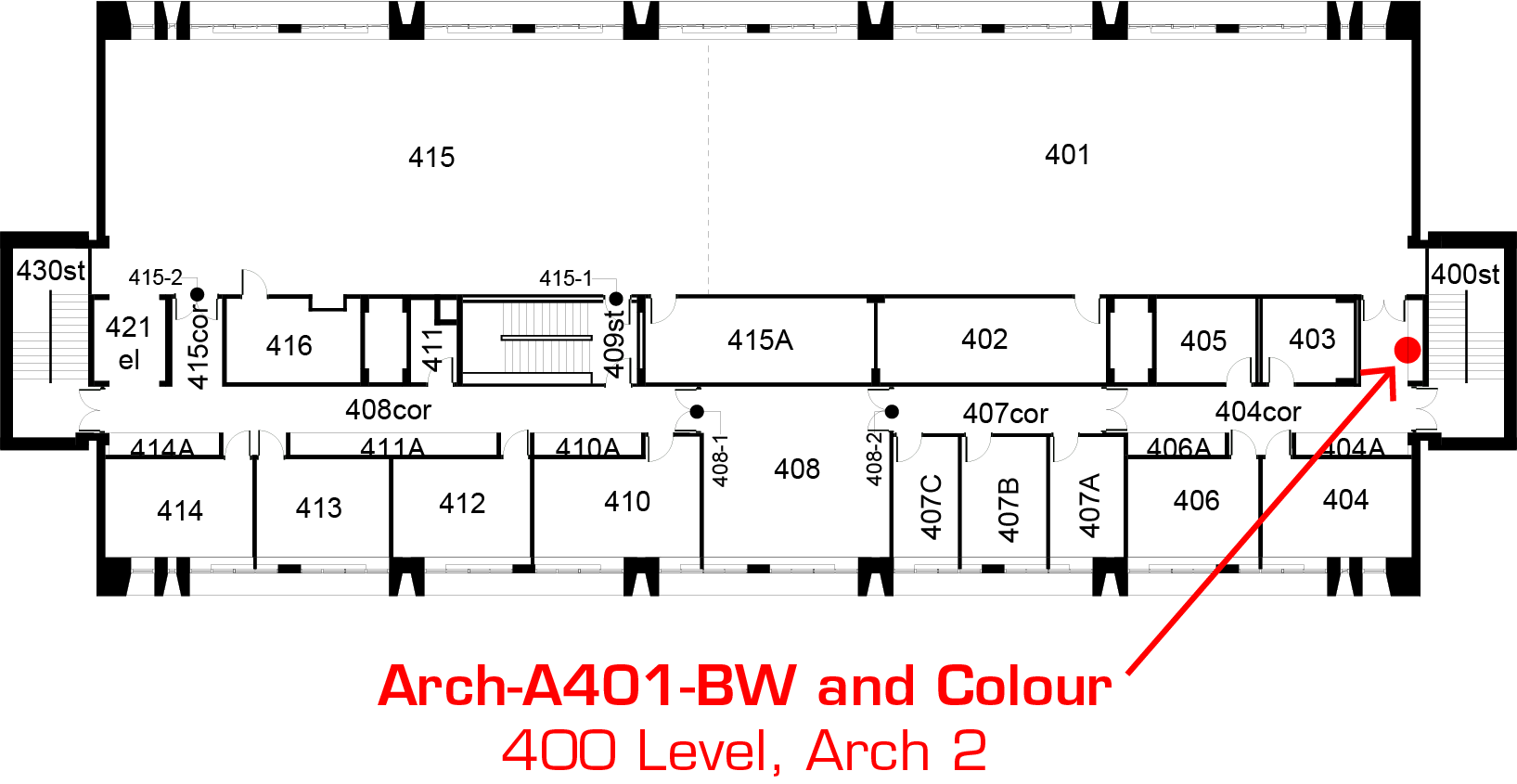
| Arch-A401-BW | Arch 2 4th Floor Studio (Map) | Kyocera TASKalfa 3253ci w/Fiery Controller | Black & White Duplex |
$0.10 Letter $0.20 Tabloid |
| Arch-A401-Colour | Arch 2 4th Floor Studio (Map) |
Kyocera TASKalfa 3253ci w/Fiery Controller | Colour Duplex |
$0.20 Letter $0.40 Tabloid |
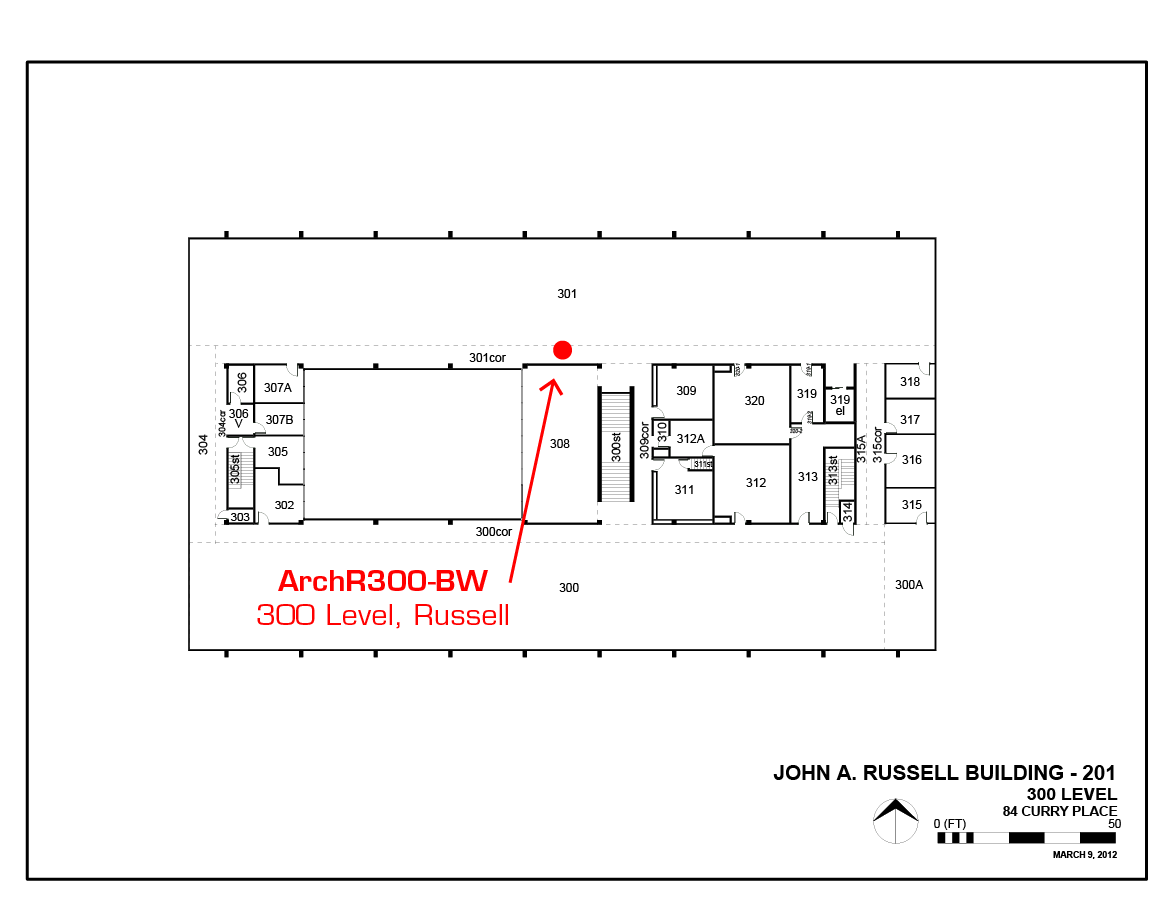
| Arch-R300-BW | Russell Studio (Map) |
Kyocera TASKalfa 3252ci w/Fiery Controller | Black & White Duplex |
$0.10 Letter $0.20 Tabloid |
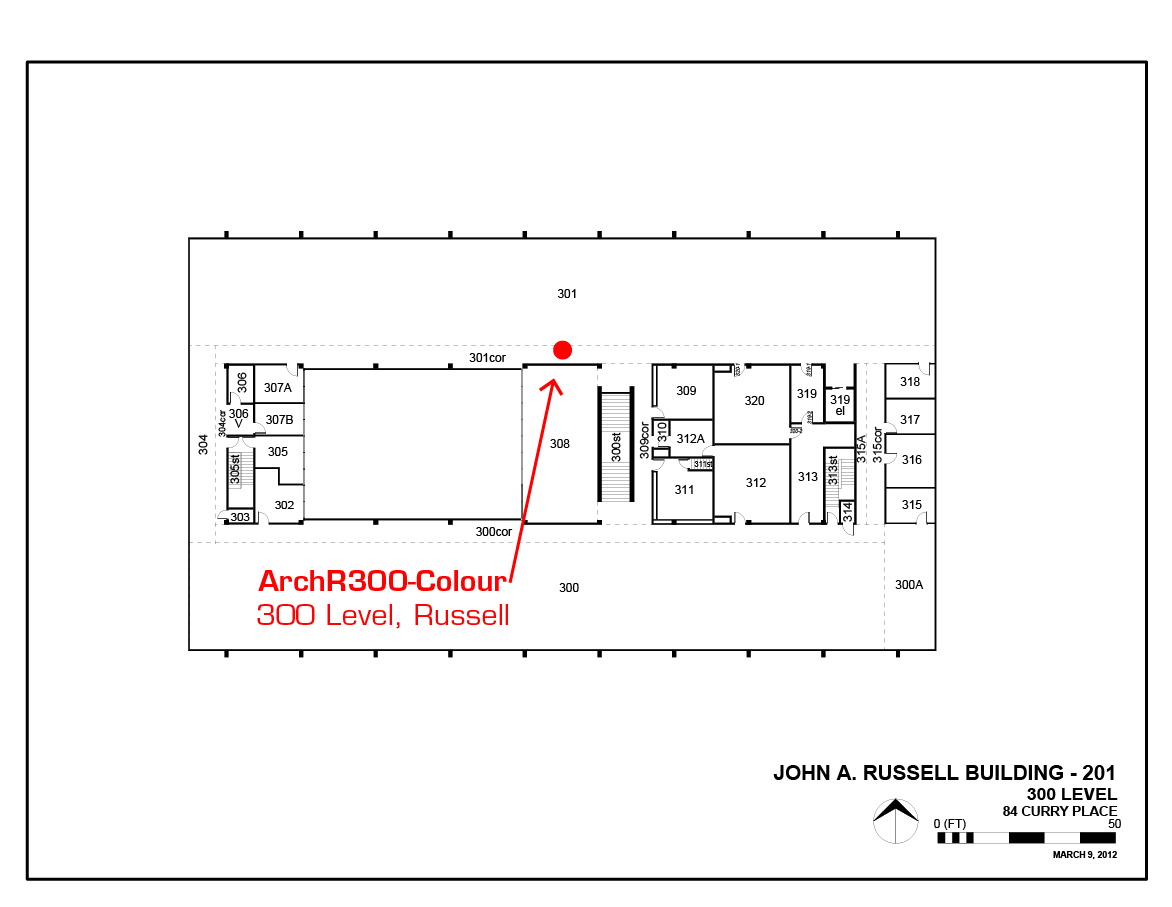
| Arch-R300-Colour | Russell Studio (Map) |
Kyocera TASKalfa 3252ci w/Fiery Controller | Colour Duplex |
$0.20 Letter $0.40 Tabloid |



Staff only printer locations
All staff printers support duplex printing, photocopying, and scan to e-mail.
| Printer Name | Location | Model | Finisher | Sizes | Price |
| ru-001.print.umanitoba.ca | Russell General Office (Map) | Xerox Phaser 3635 | Duplex | Letter Legal |
$0.10B&W |
| Arch-A222-BW | Arch 2 Copy Room (Map) | Xerox Phaser 3635 | Duplex | Letter Legal |
$0.10 B&W |
| a2-003.print.umanitoba.ca | Arch 2 300 Level Corridor (Map) | Xerox WorkCentre 7545 |
Duplex |
Letter Legal Tabloid |
$0.10 B&W $0.20 Colour |
Photo rooms
The Faculty of Architecture has three photo rooms available for use by students.
- Room 319 Architecture 2 Building
- Room 312 John A. Russell Building
If either room is locked, you can request access from the Print Shop in room 124 Architecture 2 building.
- ED2 studio (basement of Education Building)
Only for use by ED2 students, talk to your studio instructor for details.
Each location has a set of studio lights, backdrops, and a tripod. Please be considerate: clean up after yourself and be gentle on the equipment.
Report any problems or concerns to cadprint@umanitoba.ca