
Create a Strong and Easy to Remember Password with Word Phrasing
A good technique for choosing a password is to use a base word phrase. Choose a memorable catchphrase, quotation, or easy-to-remember saying, and take the first letter from each word. Choose a phrase that is memorable to you.
Choose a phrase that is going to be compatible with whatever password rules are in place for the system or web page you need to access.
For example, add a number or two at the end or in the middle to satisfy the “at least 1 number” requirement. For systems with no limitiation on length or special characters, why not use the whole phrase for your password, including puncuation and capitalization. This makes the password even stronger and harder to crack.
Here are some examples for inspiration. We don't recommend you use these for your own password:
Put Up or Shut Up: puosu1
If the Shoe Fits, Wear It: itsf2wi
You Can Lead a Horse to Water: yclahtw3
The Last Mile Is Always Uphill: tlmiau4
I Think, Therefore I Am: it5tia
Oh Say Can You See: oscys6
My Dog Freeway Loves Cheddar Cheese: mdf7lcc
Password Safety Tips
Never Give Out Your Password in an Email
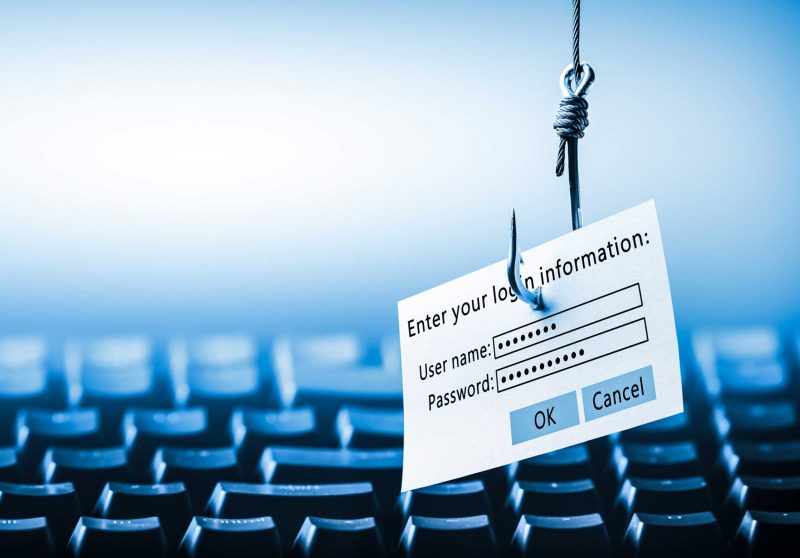
NEVER, EVER reply to an email asking for your account information and password. Also, never ever follow a link in an email that leads to a login page no matter how convincing the email sounds or how the safe the web page looks. If you feel the email just might be legit, go to the companies main website by typing the address yourself into a browser (not the address from the email) or using a saved bookmark.
See our phishing page for more information
To Save or Not To Save - Why not save my password?
Many programs that require you to login (ie. email, ftp, remote access, etc.) will allow you to save your username and password so that you don't have to type it in subsequently. Although this may seem very convenient, it does raise a few security issues.
Don't Leave Your Passwords Lying Around
If you must write down your password, place your password in a sealed envelope and place in a safe or locked file cabinet. Most people who write down their passwords usually leave them at arms length of their keyboard, making it easier for an unauthorized person to find it within minutes. Are you guilty of these easy to find "hiding spots"?
Don't Reveal Your Passwords to Others
Our Usage Agreement states that you will not share your account or password with others. However, there are some circumstances where you may need to make an exception. Many repair shops will ask for your system password to perform maintenance or fix a problem. Your local IT Support person may need your password to install or update software if they don't have other access.
If you really must share your password so someone can access your account or system, change the password to something new before you grant them access, then change it again after access is no longer required. It is never a good idea to change it back to your old password, even if the system allows you too.
Don't use the Same Password on Different Websites
People are lazy and password crackers take full advantage of the fact many people use the same password over and over for all systems and websites. The systems you use on a regular basis may be quite secure and near impossible to hack. However, XYZ.com that sells your favourite widget might not have the greatest security. If XYZ.com gets hacked and their passwords exposed (it happens several times a day), and you use the same password on all websites, prepare for you online and maybe personal and financial life to be tossed upside down.
Use password phrasing and some identifier for the site you are visiting to help ease the pain of remembering 50 or hundreds of passwords.
Use a Password Manager
If you have a large number of passwords that you use regularly, you may want to consider a Password Manager. These applications use a secure single master password to lock up an encrypted database of ALL your passwords. Two popular free programs with both straightforward and advanced features are:

Help & Solutions Centre
(Mon-Fri 8:00am to 8:00pm)*
204-474-8600
123 Fletcher Argue
Map
Bannatyne Help Desk
(Mon-Fri 8:30am to 4:30pm)*
204-789-3541
230 NJM Library
Want to stay current with the ongoings of IST? Follow us on: